Connect ChatGPT to TRUE for Crypto Research and Trading
Set up TRUE as an MCP app in ChatGPT, test a read-only request, and review trading permissions before placing an order.
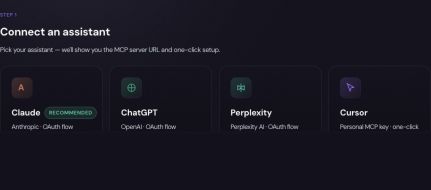
Check access and the endpoint
TRUE’s remote MCP endpoint is https://app.truefinance.ai/api/v1/mcp. Connect your own TRUE account through the authentication flow. Never put wallet secrets or an API key into a normal chat message.
On supported ChatGPT web accounts, enable Developer mode under Settings → Security and login. Workspace policy can limit access. Follow OpenAI’s current developer-mode documentation if the interface differs.
Create the connection
- Open ChatGPT’s Plugins page and use the plus button to create a developer-mode app.
- Enter TRUE’s MCP endpoint and use its supported OAuth authentication.
- Complete authorization, then select TRUE through the conversation’s Developer mode menu.
- Test with:
Use TRUE to list available perpetual markets. Report the exact symbols. Do not submit orders.
Inspect the actual tool result before relying on it. A connected app, a selected app and a successfully completed tool call are three separate steps.
Give an unambiguous request
Name the asset, action and unit. For example, Show my existing positions and explain their exposure. Do not change anything.
is different from a request to close a position. For a draft strategy, explicitly ask for a draft and review it in TRUE before activation.
Perpetual market symbols returned by the tools use a base symbol followed by USDC, such as SOLUSDC. Perpetual size is in base-asset units; spot orders can use a USD amount. Confirm the unit before authorizing an order.
Know which approval you are giving
ChatGPT’s tool confirmation and TRUE’s account authorization are separate controls. MCP perpetual orders always require approval in TRUE. Small spot trades can execute within a configured auto-approval threshold. Agent creation only produces a draft; funding and the signed activation permit happen in TRUE.
Check the final execution record. If you see an approval identifier or a timeout, follow the existing request and check activity instead of resubmitting. Disconnecting ChatGPT does not reverse completed transactions or cancel existing schedules.
Continue with a related guide
Updated 2026-09-17. Sources, examples and review approach.